




Record manually or let automatic recording start and stop drives for you. Each saved drive keeps its route, stops, speed, elevation, and calibrated G-force.
Every drive. Every change. One car history.
An iPhone driving journal that records your drives, keeps your garage and build history attached to them, and makes driving better with friends while you control what they see. Trace is in private beta on iPhone through TestFlight and is coming soon to the App Store.
Coming soon to the App Store
Trace / iPhoneDrives, Garage, Friends, Stats, and LeaderboardsLocal-first after sign-in · Private beta
Every circuit leaves a trace.
Familiar routes, redrawn as one moving world. Trace is built to keep the road and the vehicle behind it in the same record.
Loading circuit view
Choose a circuitSwipe sideways or drag to rotate. Arrow keys rotate when the view is focused.
No circuit selected.
Decorative historical circuit outlines; not current survey data. Sources and licenses.
In the app
Your drives, your car, and your friends in one app.
Every saved drive keeps its route, the car you drove, and how that car was set up at the time, so your history still makes sense after the car changes.
Revisit saved routes in a private archive and turn them into stats, records, streaks, and achievements. Exporting your drives and importing GPX trips are free.
Keep each vehicle's photos, specs, modifications, and maintenance. Every drive keeps the build it was recorded with, even after the car changes.
Inside the current beta.
The App Store screens for Trace, captured from the current build with a sample driving history. The app is still changing as the beta continues.
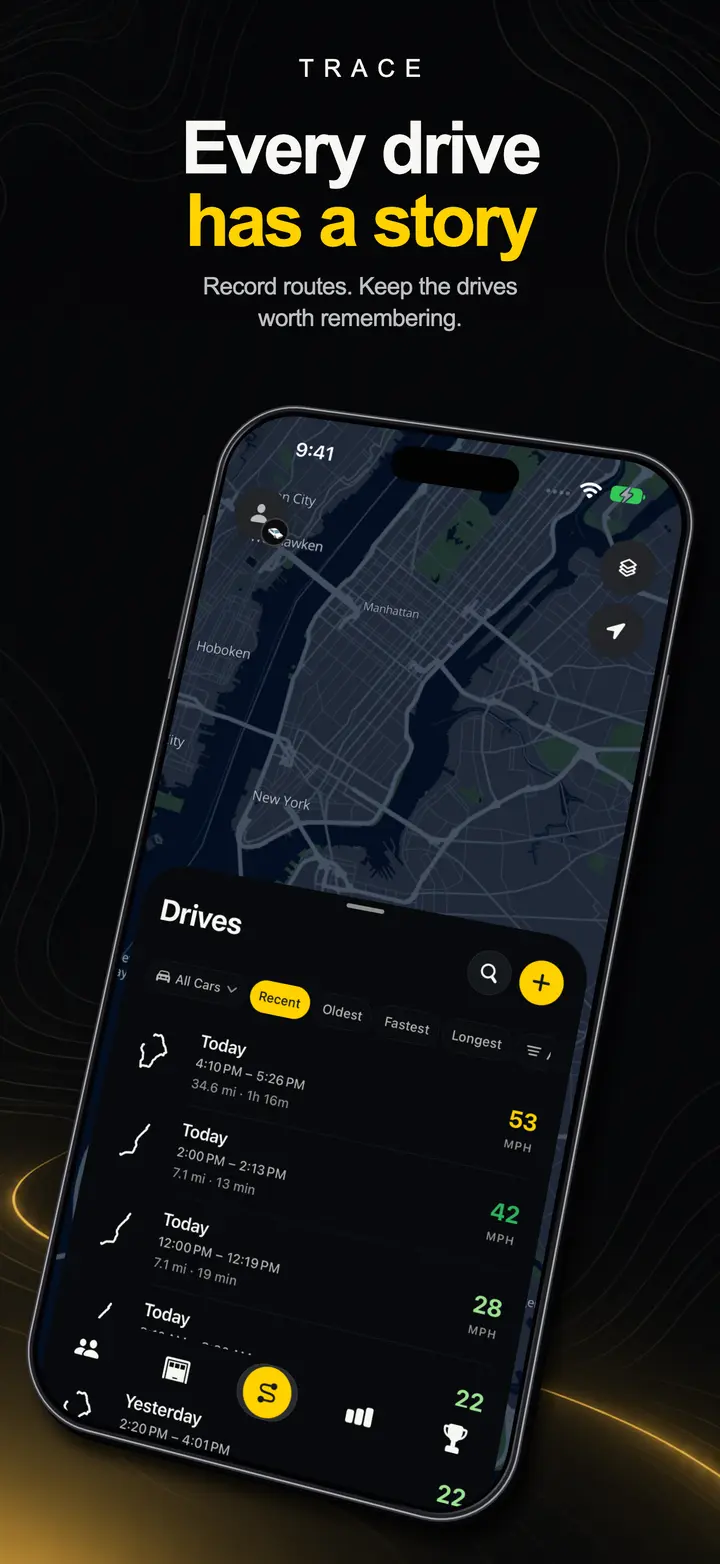
01Drives Every recorded drive, newest first, filtered by vehicle.
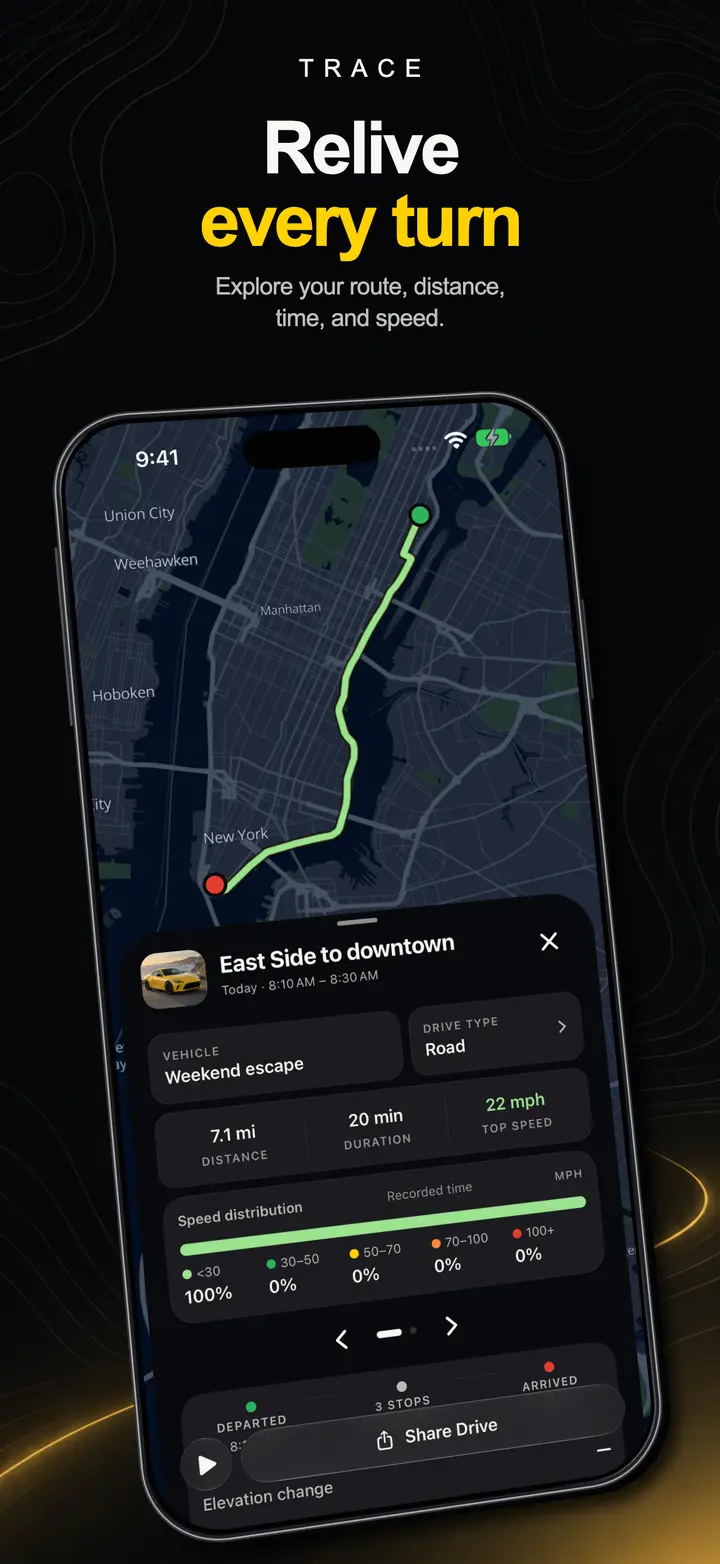
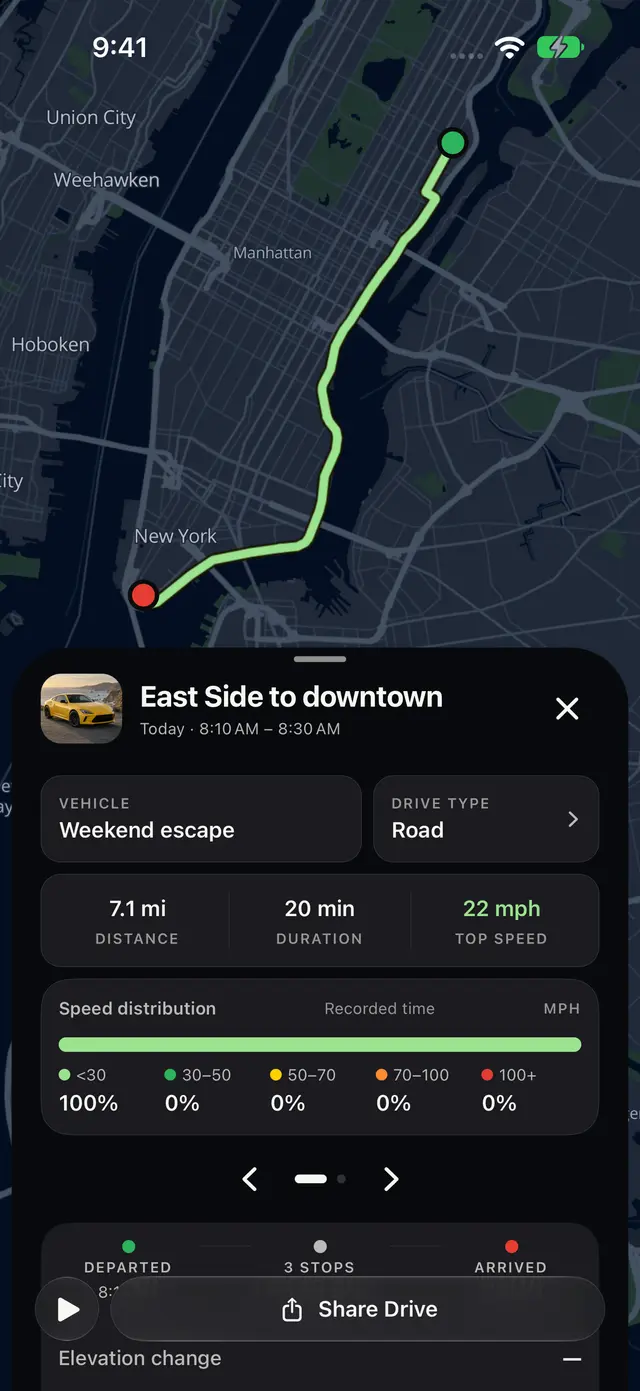
02Drive detail Replay the route with distance, time, stops, and speed.
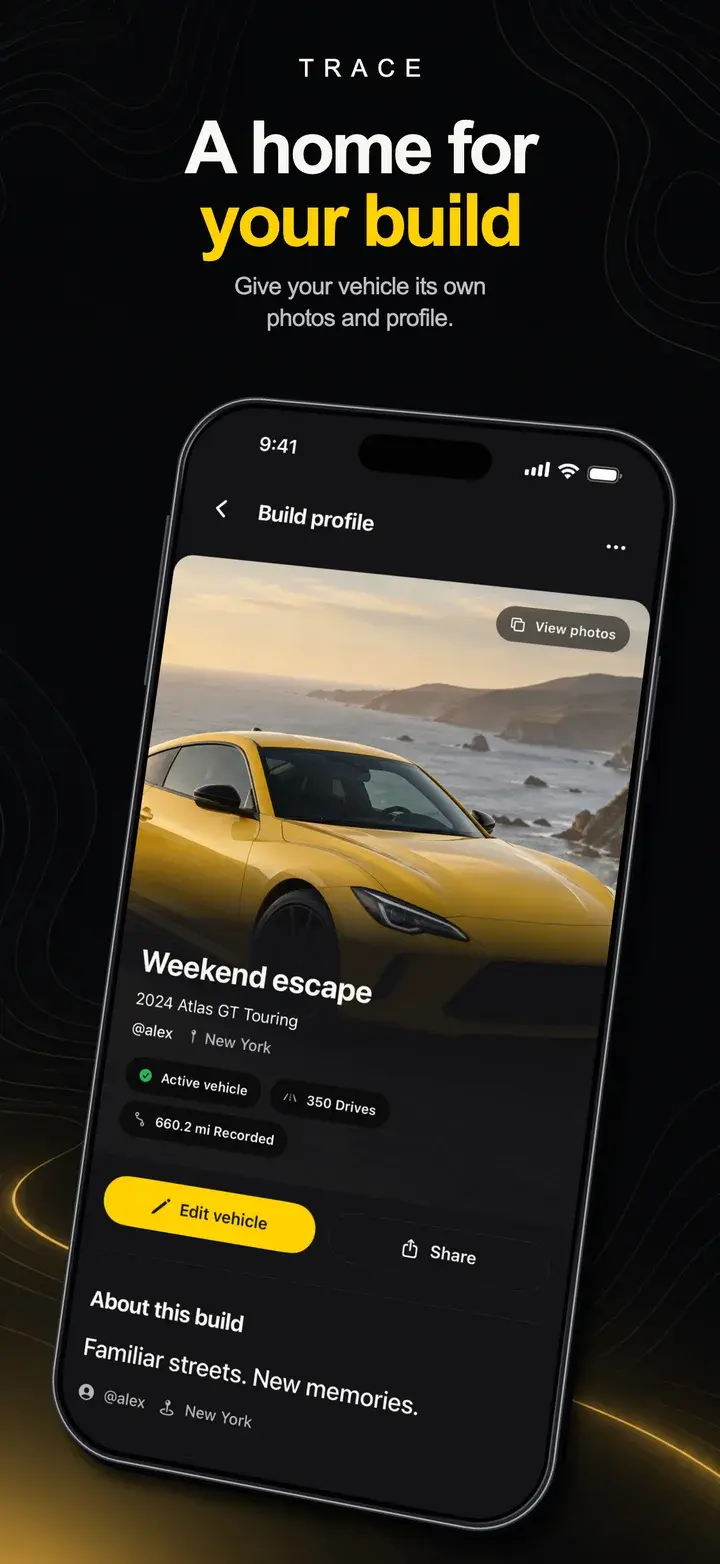
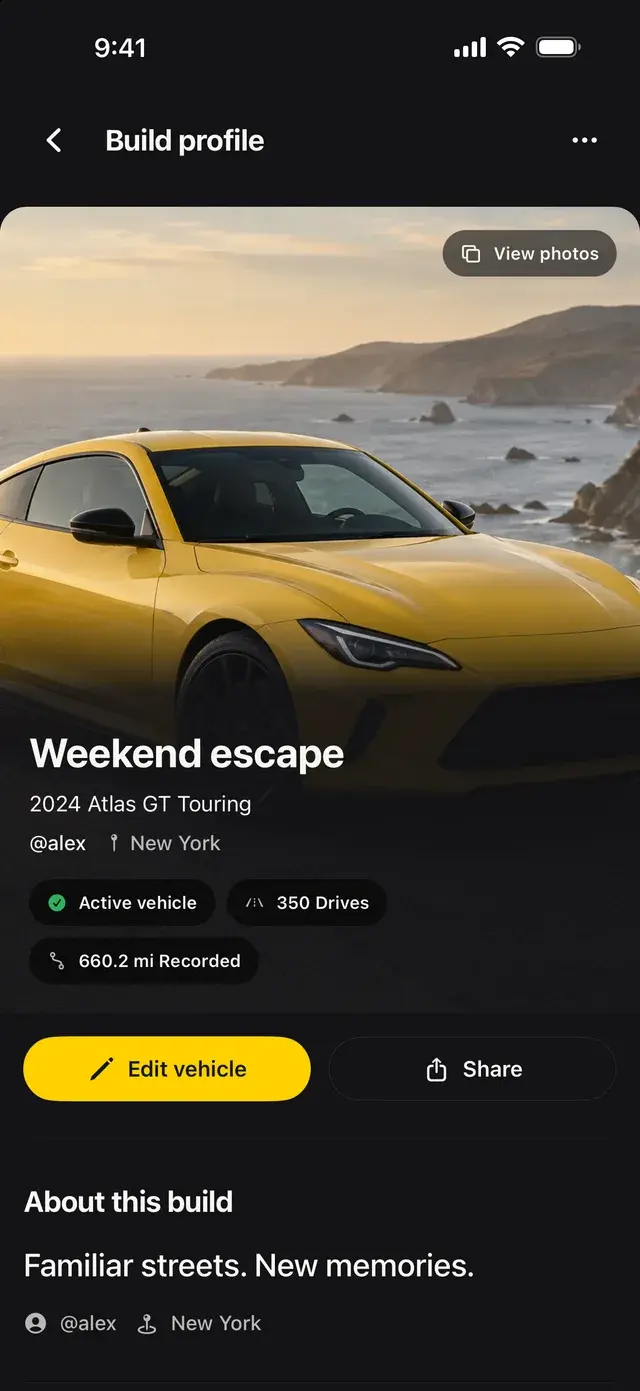
03Garage A profile, photos, and history for every car you own.
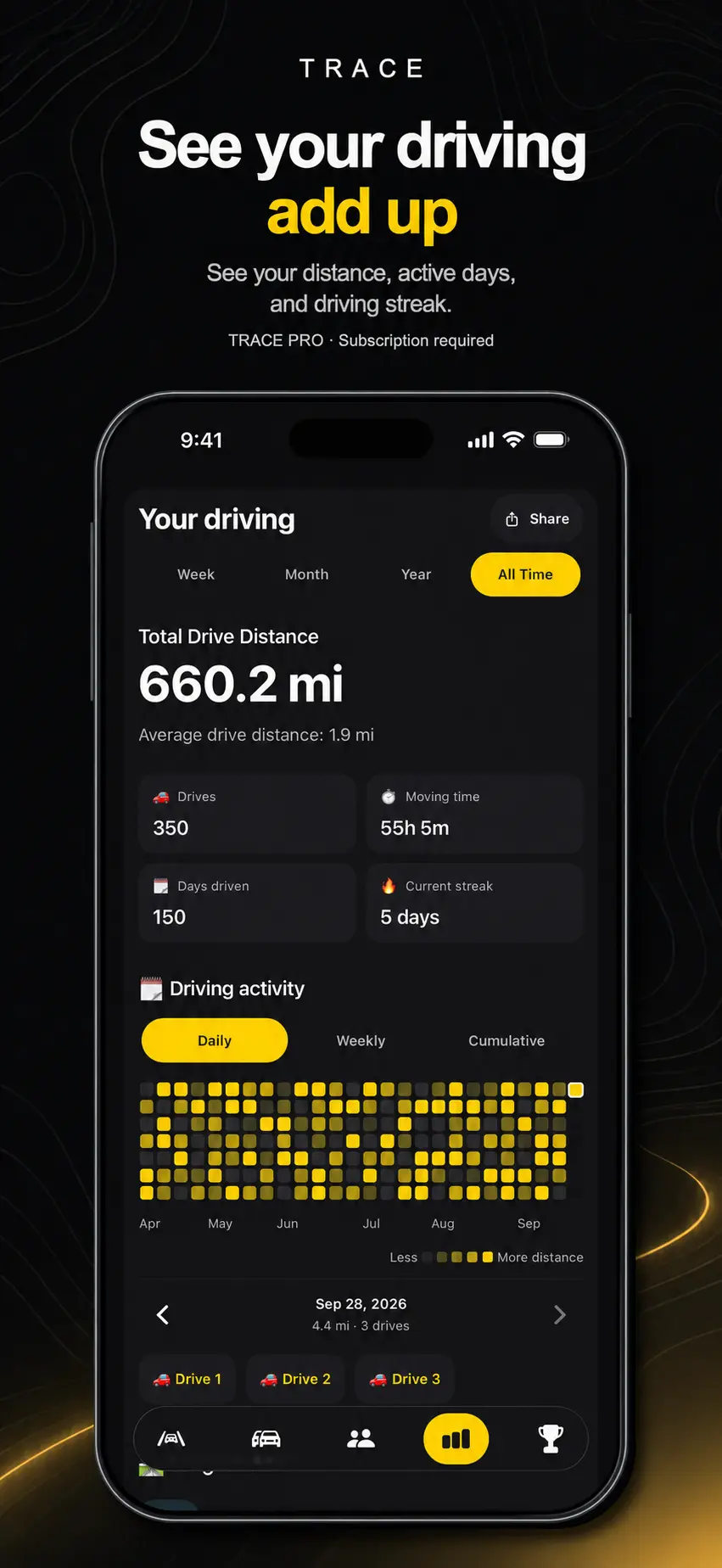
04Stats Distance, active days, and streaks over time, with Trace Pro.
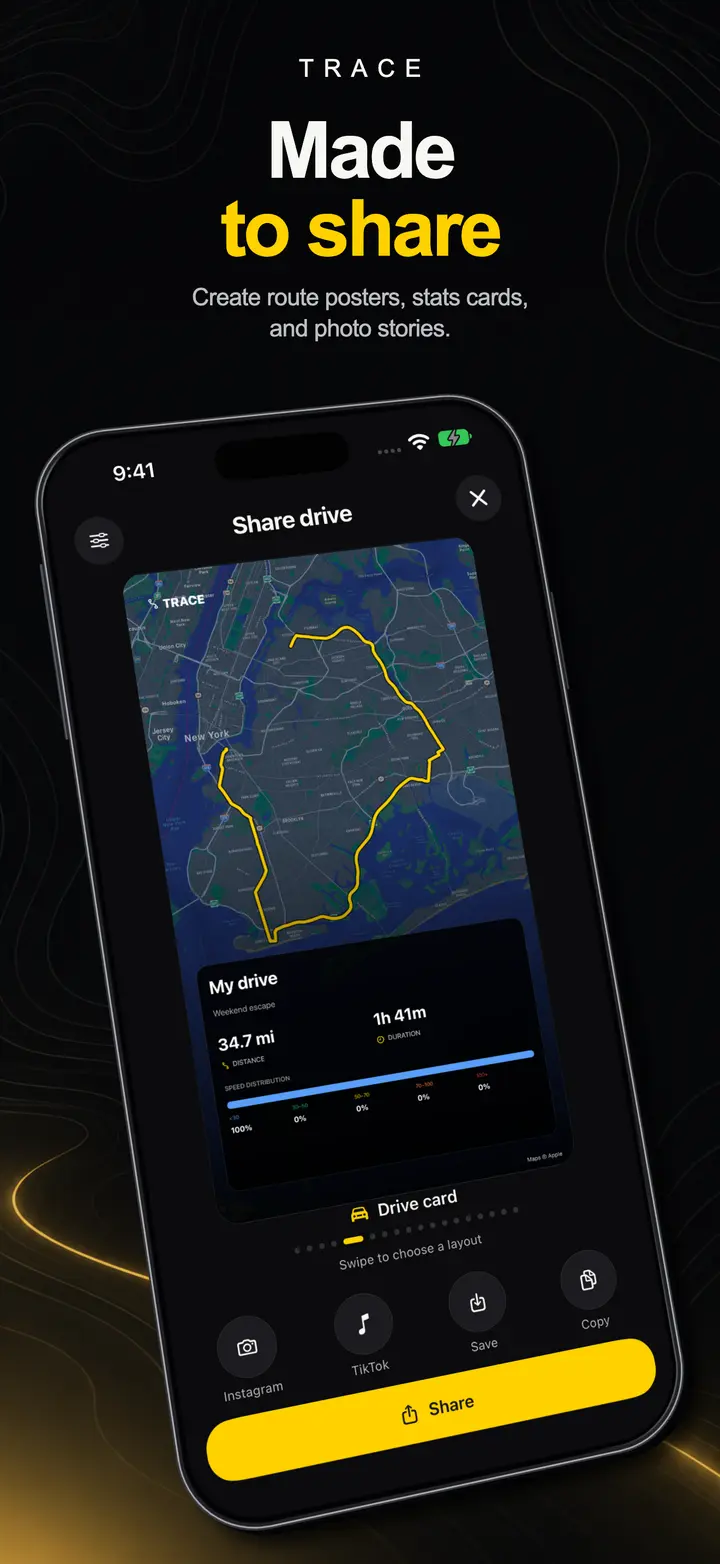
05Sharing Route posters, stats cards, and photo stories.
Share the drive, not your whole history.
Turn a finished drive into a share card, or a video with your speed and route synced to it, ready for Photos or Instagram Stories. Shared maps hide where the drive started and finished. You can also publish a card for your car through a link you can turn off at any time. Your account and private history are never published.
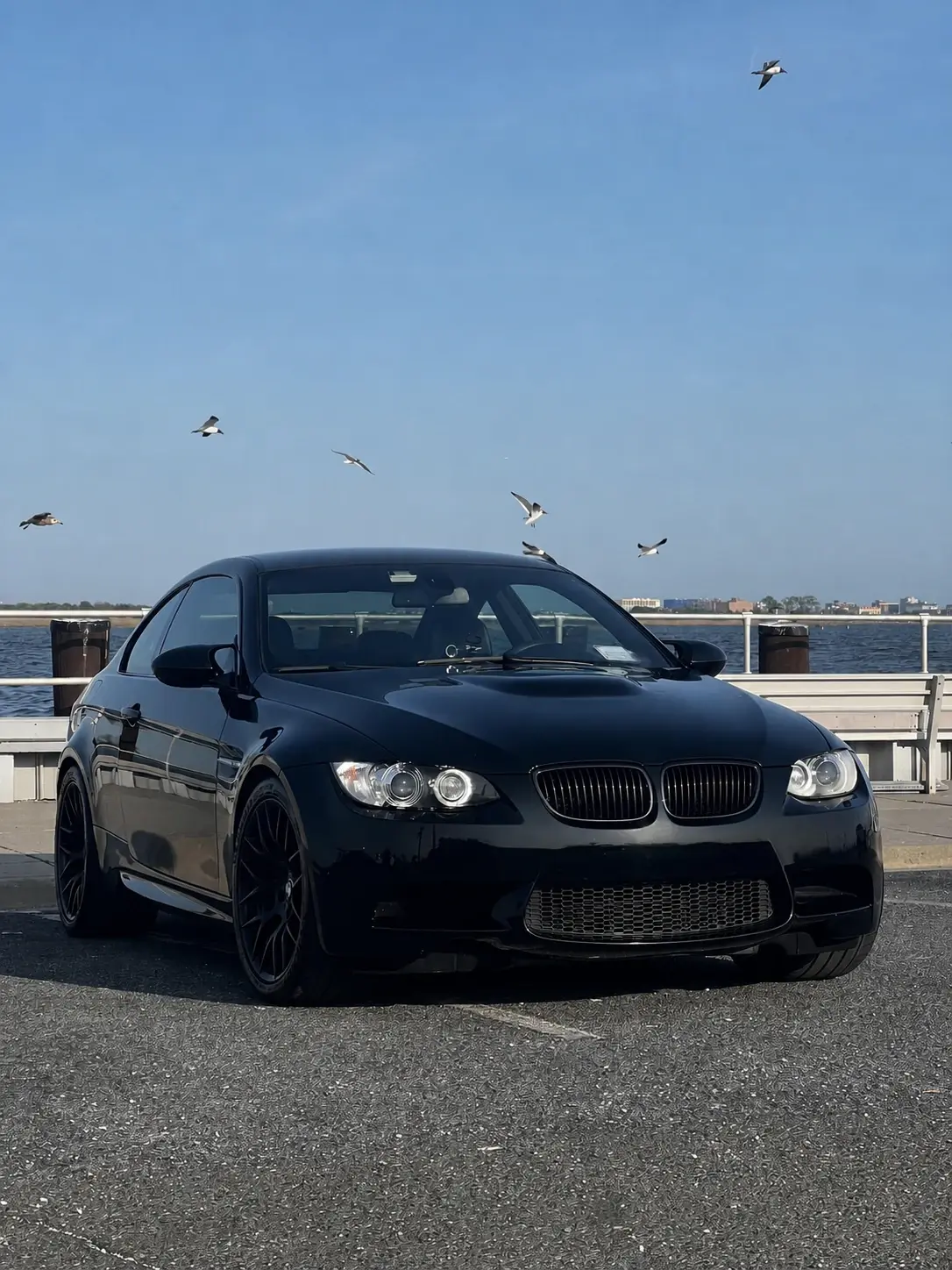
TraceShare card
Full bolt-on
Stage 2
2009 E92 M3
Jerez Black, black leather, and aluminum trim. 6MT with a short shifter, intake, tune, bolt-ons, and exhaust.
- Power
- 415 HP
- Transmission
- 6MT
- Parts
- 7
Built for the drive itself.
Directions, camera alerts, and glanceable system surfaces keep the essentials in view without asking for attention while the car is moving.
Directions
Search a destination, add stops, and avoid tolls, highways, or ferries for the trip.
Camera alerts
Known speed and red-light cameras ahead, with optional spoken alerts. Coverage varies by area.

Live Activity
Speed, time, and distance stay on the Lock Screen and in the Dynamic Island while a drive records.
Widgets
Recent drive, garage, and days-driven widgets. Home Screen widgets are free; Lock Screen widgets come with Pro.
Better with your people.
Share your car, compare completed drives, and plan where to meet. Your live location stays private unless you choose to share a drive live, and every social path has its own setting.
Friends
Find people by username or invite link, or check the contacts you choose. Accepted friends see only the activity you allow.
Clubs
Start an invite-only club or join with a code, and see members' public builds together. Invite codes expire after seven days.
Leaderboards
Opt in to rank completed drives with friends or worldwide. Joining is free, and your public profile stays off until you turn it on.
Meetups
Pick a place and invite up to 20 friends. Only invited friends see the place, and your live position is shared only if you turn on live drives.
Heatmaps
Choose whether to add coarse route areas to the global or friends heatmap. Areas around where a drive starts and ends are removed first.
When the record stays connected, a drive becomes part of the car's story instead of another isolated map.
Follow Trace to the App Store.
Trace is in private beta on iPhone through TestFlight and is coming soon to the App Store. Ask about the beta, or anything else about Trace.
Coming soon to the App Store
